XRechnung and suitable ZUGFeRD profiles are checked against the European invoice standard.
e-Rechnung Inbox · for SMEs and tax advisors
Receive, review and hand off e-invoices securely.
A calm workspace for XRechnung and ZUGFeRD: central intake, structured review, documented approval and a clean handoff to your tax advisor.
Register for free, confirm your email and wait for account approval. Then set up your invoice inbox.
For tax advisors- No system migration required
- The original file remains unchanged
- Traceable review path
From intake to handoff
One workflow. No side channels.
Every invoice stays in a clear state. Move through the process to see how intake, review, approval and export fit together.
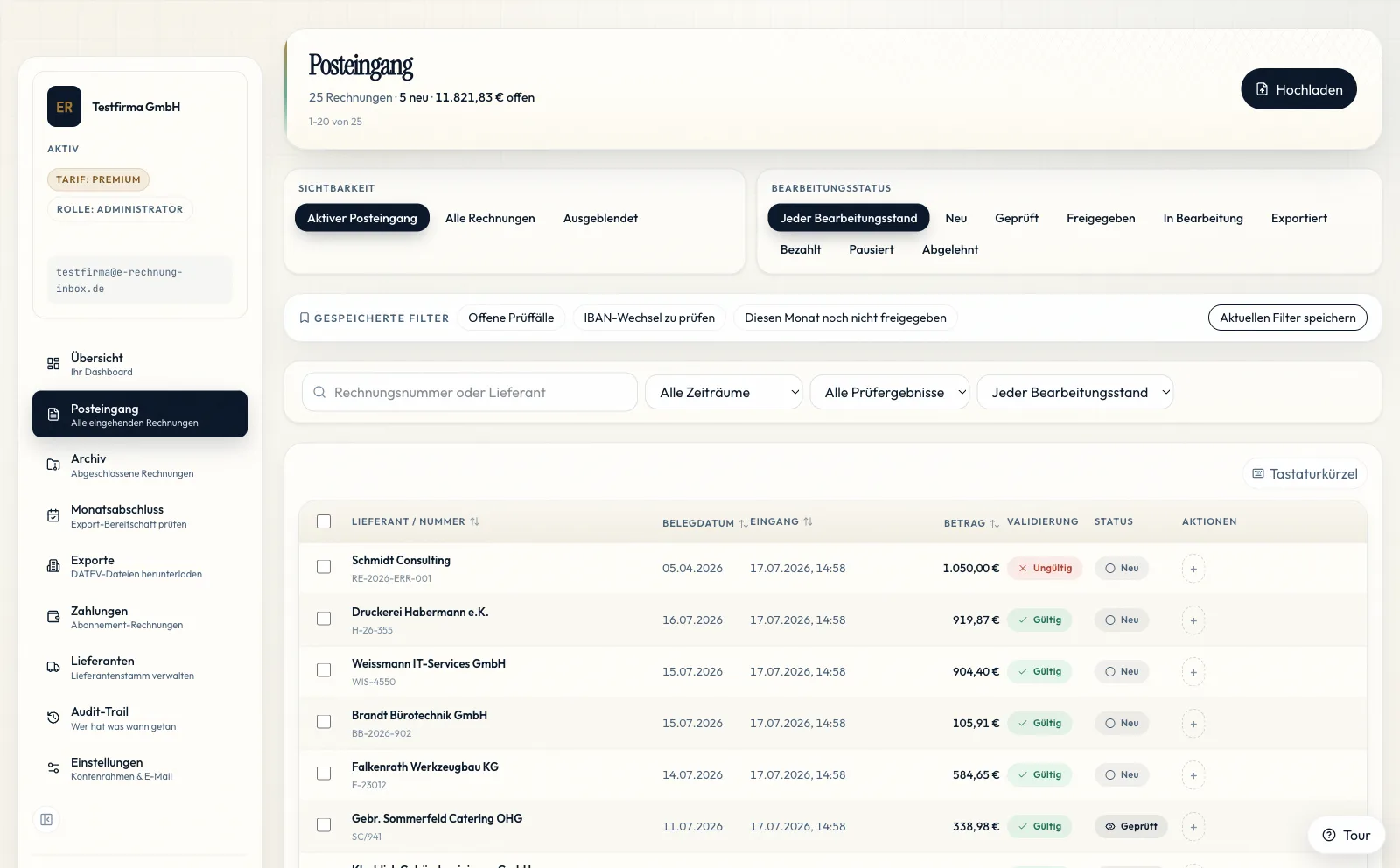
01 · Central intake
Receive
XRechnung and ZUGFeRD arrive where your team expects them, regardless of which supplier sends them.
- A dedicated intake address for each organisation
- One view of new and outstanding invoices
Verifiable foundation
Trust that is more than a claim.
The original file, timestamps and audit trail remain traceable throughout the statutory retention period.
Production data is processed on European infrastructure in the Frankfurt region.
Operational clarity
One workflow instead of five filing places.
Month-end close does not begin at the end of the month. It begins with an inbox that keeps completeness and outstanding work visible at all times.
How invoice intake works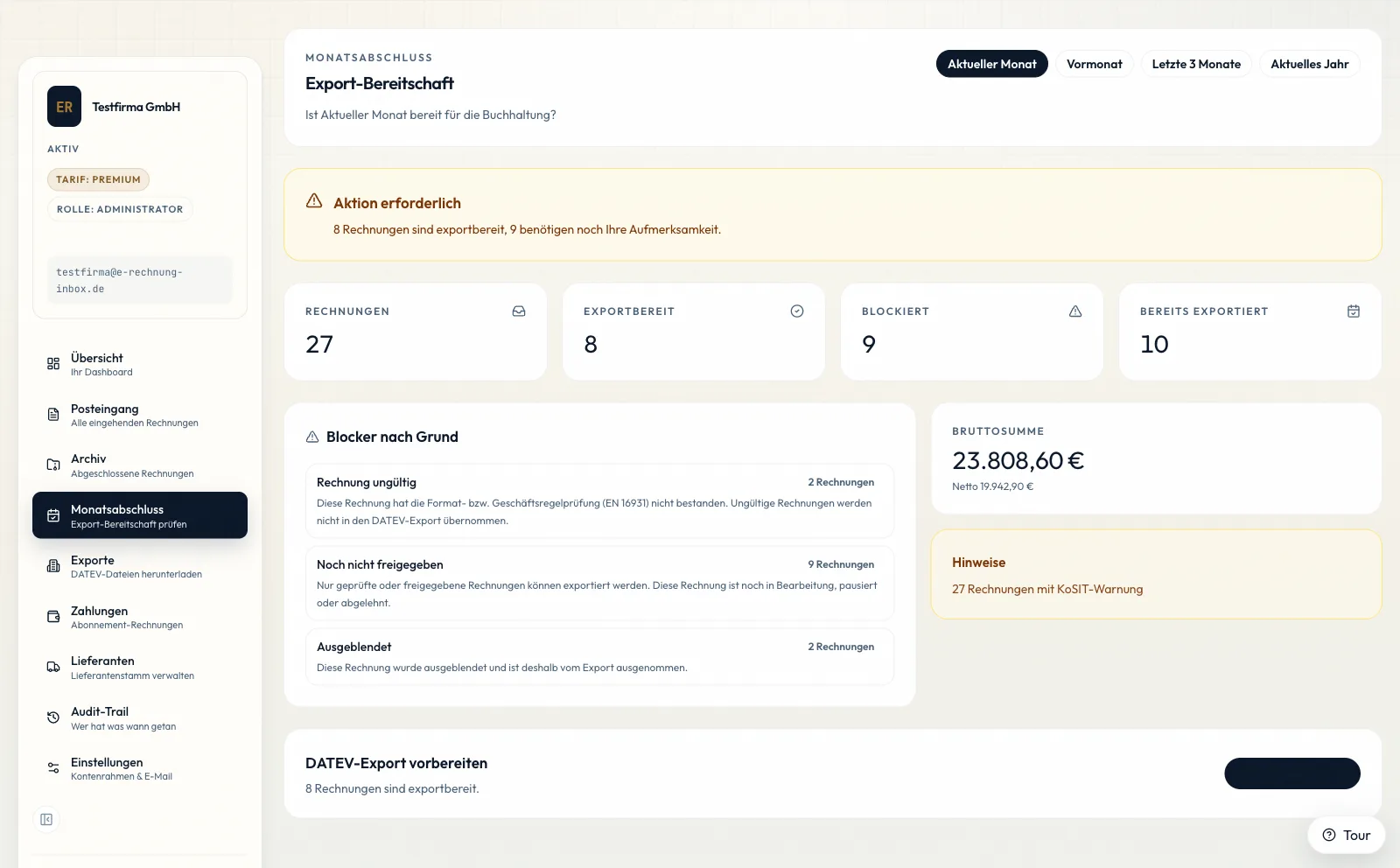
Everything at a glance
Invoices, statuses and ownership remain in one shared workspace.
Spot gaps early
Outstanding reviews and missing steps become visible before handoff is due.
Keep the history
The path from intake through export remains traceable in the invoice record.
For tax advisors
Clean handoffs instead of loops of questions.
Clients deliver more than files: they provide a prepared, traceable invoice intake process.
- Clients and periods remain clearly separated
- Approval status is visible before handoff
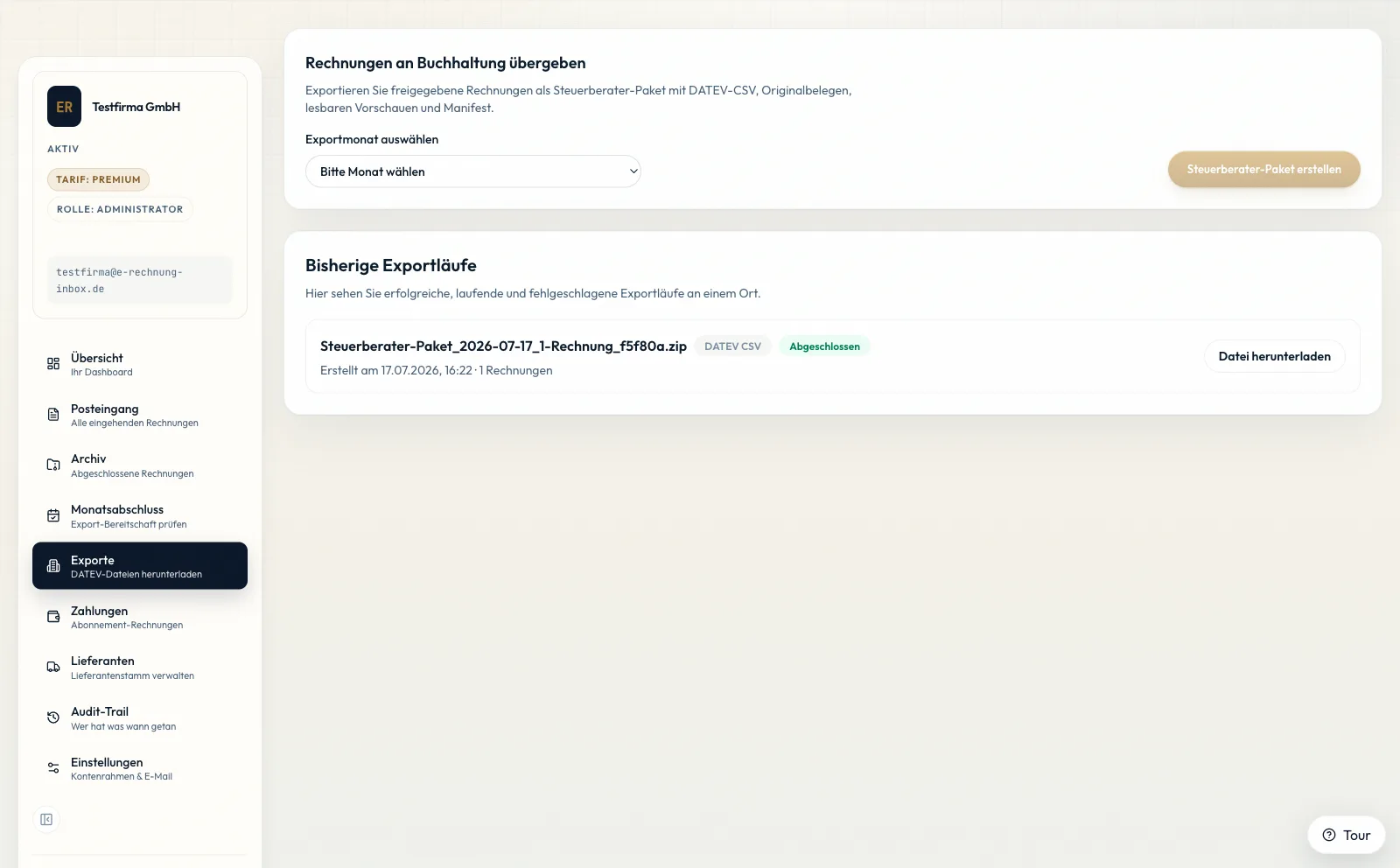
- DATEV CSV and a complete tax advisor package
Prepared handoff for month-end close
Trust & control
The important evidence stays within reach.
Security and privacy do not belong in the small print. The relevant foundations are directly reviewable and deliberately separated from sales copy.
Security approach
Technical and organisational safeguards, access controls and operational foundations.
Review securityData protection
Transparent information about processing, legal grounds and the rights of data subjects.
Read privacy detailsDPA template
The data processing agreement is available for your organisational review.
View DPAPractical knowledge
Practical guidance on XRechnung, ZUGFeRD, receiving duties and DATEV handoff.
Open knowledge base— FAQ —
Questions before you start
Isn't a PDF also an e-invoice?
A plain PDF contains no structured invoice data, so it is not an e-invoice on its own. ZUGFeRD combines a PDF view with embedded XML data. XRechnung is an XML-only format.
Do I need to forward my existing email?
No. You receive a separate address just for invoices, such as yourname@e-rechnung-inbox.de. Your existing business communication stays unchanged. With a suitable plan, you can also connect your own domain for receiving invoices.
We use DATEV. Does this fit?
You can export DATEV-CSV and a ZIP package with the original documents for your tax advisor. Direct transfer to DATEV Unternehmen online is not yet enabled. CSV export is available independently.
What about Kleinunternehmer?
Kleinunternehmer must also be able to receive e-invoices from 2025. The receiving mandate applies regardless of revenue or size. You may still send as before.
Can I write invoices with this?
Deliberately no. e-Rechnung Inbox is strictly a receiving and validation system. For outbound, we recommend lexoffice, sevDesk or your existing ERP.
Where is my data stored?
Frankfurt (eu-central-1), EU infrastructure. The hoster operates a certified data center. The DPA template is linked in the footer; process documentation is generated inside the workspace and can be exported there.
Ready for a calmer inbox?
The next invoice month can start with more clarity.
Set up the central intake and guide the first e-invoice all the way to handoff with a traceable process.