From invoice issues to the next step.
Receive e-invoices, identify technical findings and prepare the clarification. Approved, eligible documents are handed to your tax adviser as files.
See how it looks Illustrative scene · AI-generated
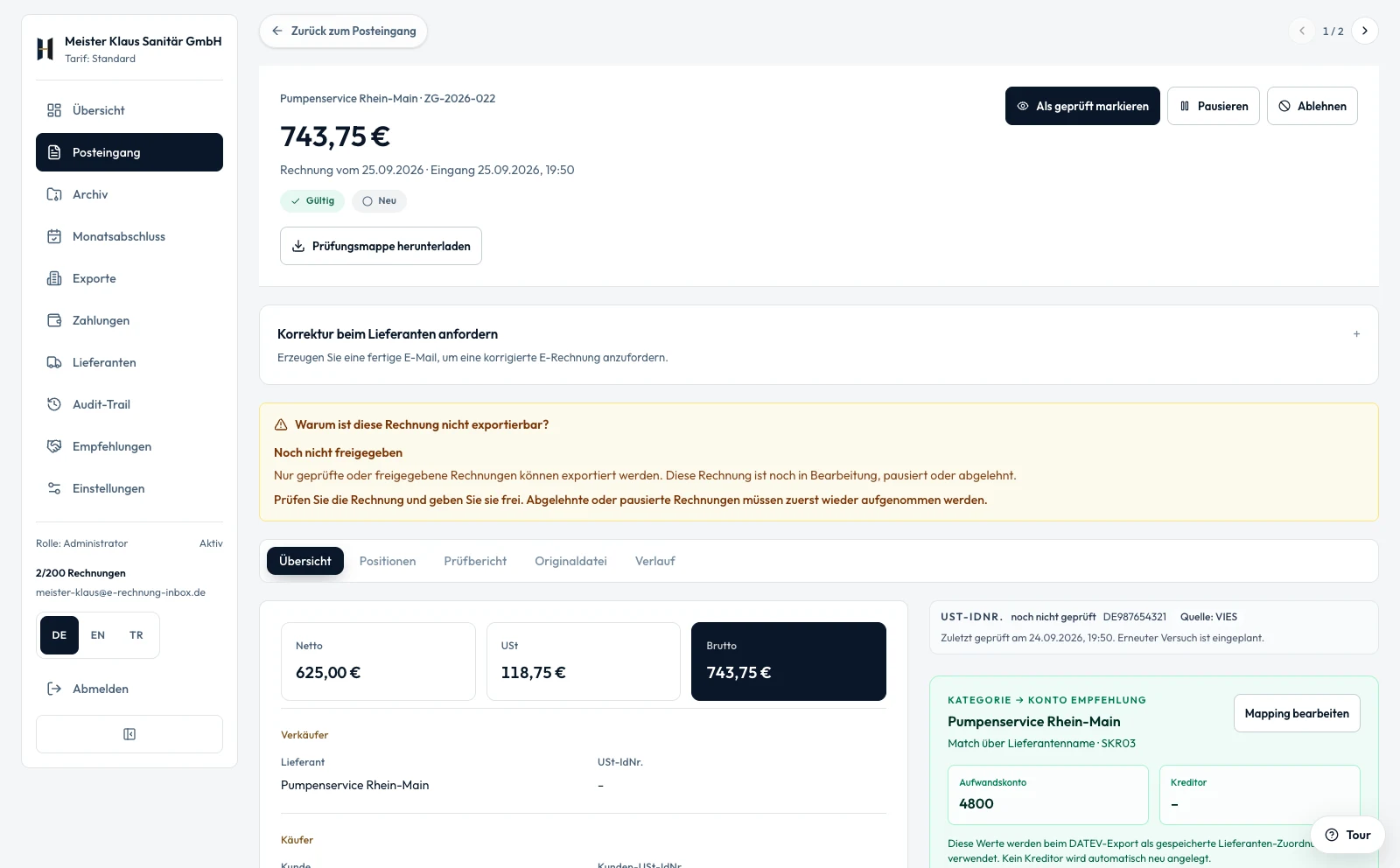
Understand the issue. Know the next step. Prepare the handover.
One possible workflow for a technical issue. You retain responsibility for the substantive review and decide what goes to your tax adviser.
- 01
See the issue
A supported e-invoice is not ready for export yet. Its invoice data, report and reason remain together in the same record.
- 02
Prepare the clarification
Read the report and request a corrected file from the supplier if needed. Review and copy the message template; you send the message yourself.
- 03
Hand over with control
Check the corrected invoice again and approve its content. Prepare eligible e-invoices as DATEV CSV/EXTF or an adviser package; your adviser imports the files.
What the handover includes
- Plain PDF receipts are accepted, but are not checked with KoSIT and are not part of the adviser package.
- Starter includes individual invoice exports. Bulk export and archive ZIP are included from Standard.
- Direct transfer to DATEV Unternehmen online and the sevdesk connection are in preparation. The available handover uses files.
Receive e-invoices
Your own inbox address, mail forwarding and upload. XRechnung and ZUGFeRD detected automatically.
More about receiving →Validate XRechnung
EN 16931 validation with clear error messages, totals logic and mandatory-field checks.
See validation →ZUGFeRD
Read, validate and archive PDF invoices with embedded XML.
Understand ZUGFeRD →DATEV Export
Download DATEV CSV/EXTF and hand the files to your adviser. Direct transfer to DATEV Unternehmen online is in preparation.
DATEV integration →A workspace for open questions and prepared handovers.
These features work inside the signed-in workspace — explainable and traceable, with no black-box automation.
Month-end & export readiness
Per period: approved, blocked and exported invoices at a glance. Every blocked invoice explains the exact reason and the next step.
Audit trail & Prüfungsmappe
GoBD-oriented: a readable per-invoice audit trail and a downloadable evidence pack (ZIP with the original file, hash, validation and timeline).
Duplicate & Storno detection
Warns about double-booking when the same invoice arrives by email and upload, and links credit-note/correction invoices to the original. Warn, never auto-delete.
Missing-invoice watcher
Signals based on your previous intake: a recurring supplier has been quiet longer than usual. This is not a completeness guarantee or an automatic message.
Supplier intelligence
Review IBAN changes, format mix and recurring findings from your stored invoices. This supports your review but does not verify bank account ownership.
Supplier correction email
Ready-to-send templates to ask a supplier for a corrected e-invoice (PDF-only, invalid XML, wrong VAT ID, changed IBAN). Preview and copy.
The photographic work scenes are AI-generated illustrations, not depictions of actual customers. The product views show the real application with sample data. DATEV is a registered trademark of DATEV eG; mentioning it does not imply approval of this product.